Choose a country or region to view specific content for your location :
Scan to join us on wechat
TAG HEUER CONNECTED USER GUIDE
Get started with your new TAG Heuer Connected watch. Please find below a list of user guides to help you take full advantage of your TAG Heuer Connected Watch.
Make sure you have everything you need to pair your watch and phone.
VIEW USER GUIDE
Open the TAG Heuer Connected app and follow the instructions to sign up.
VIEW USER GUIDE
In this section, you will find all the information you need to connect your watch with your smartphone (iOS or Android).
VIEW USER GUIDE
Find out how to change, customize and add new watch faces directly from your TAG Heuer Connected.
VIEW USER GUIDE
Learn how to enjoy the different features of your watch such as notifications, apps and settings. Explore tiles and buttons and learn more about customization options.
VIEW USER GUIDE
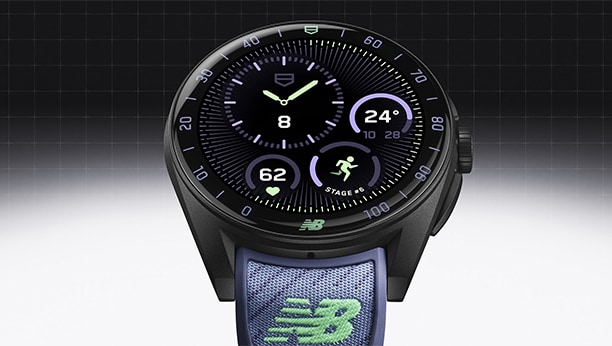
Find out how to set up the wellness app on your connected watch. Follow your heart rate live, track your burned calories at a glance, and reach your daily step goals.
VIEW USER GUIDEOur TAG Heuer Connected watch user guide to change your bracelet or adjust your strap on your wrist.
Progress is a game of numbers. Whether you’re swimming, running or cycling, TAG Heuer lets you measure your performance down to the most detailed metrics.
Whether you need to track your speed, pace, distance, heart rate, and splits in real time, get detailed performance insights that are more accurate than ever.
DISCOVER
3D mapping technology, in-depth statistical analysis, shot tracking and driving zone features, the Connected watch Golf Edition lets you better understand and improve your game, anytime, on every course.
DISCOVER
Progress is a game of numbers. Whether you’re swimming, running or cycling, TAG Heuer lets you measure your performance down to the most detailed metrics.
DISCOVER